Audience
Operations, finance, procurement, maintenance, and program teams.
Procurement & Spend · Application portfolio
Connect spend to operational need - asset criticality, supplier risk, inventory, contracts, and field urgency in one view.
Design commitments for this application, not a deployment claim.
Audience
Operations, finance, procurement, maintenance, and program teams.
Question
Which purchase, supplier, or inventory decision best protects the operation?
Output
A sourcing or buy-support packet with evidence, tradeoffs, approval rationale, and the receiving-system state needed before any update is considered complete.
Decision logic
Spend history, supplier performance, contract coverage, inventory position, lead time, demand from upcoming work, and operational criticality can be combined into ranked options and exception reviews.
Integration requirements
Action authority
Procurement, finance, operations, and delegated approvers retain signing authority for purchases, supplier actions, and budget-impacting changes.
A concrete decision workflow
PRINCIPLEStep 1
Which purchase, supplier, or inventory decision best protects the operation?
Step 2
Purchase orders & invoices · Suppliers & contracts · Inventory · Work orders · Budgets
Step 3
Spend history, supplier performance, contract coverage, inventory position, lead time, demand from upcoming work, and operational criticality can be combined into ranked options and exception reviews.
Step 4
A sourcing or buy-support packet with evidence, tradeoffs, approval rationale, and the receiving-system state needed before any update is considered complete. Procurement, finance, operations, and delegated approvers retain signing authority for purchases, supplier actions, and budget-impacting changes.

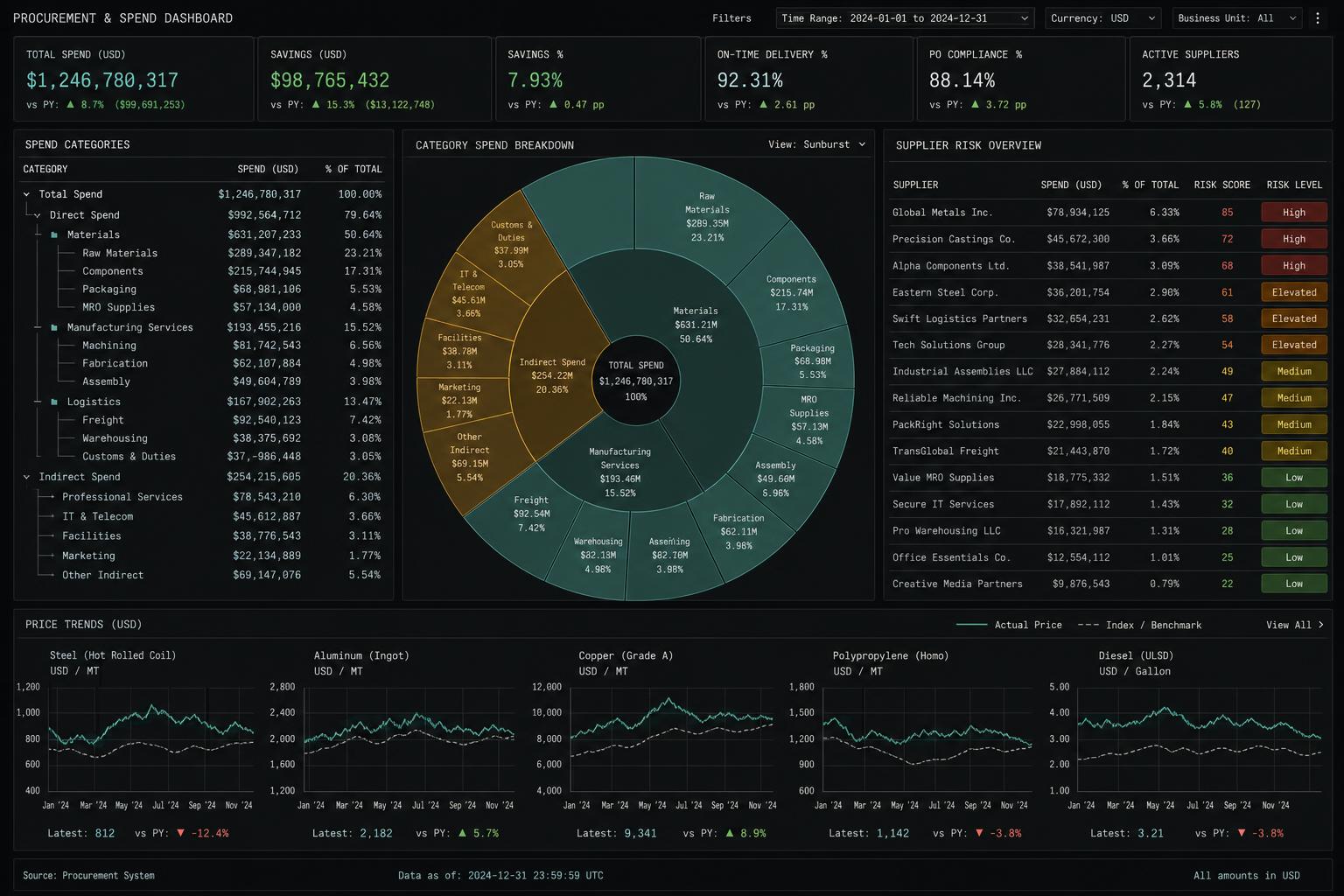
Representative interface · Product status not independently verified · Not a customer deployment
Source context, recommendations, permissions, and operator review remain visible on the same working surface.
The path begins with one bounded decision, connects the systems holding its evidence, puts a working surface in front of operators, then hardens permissions and audit before expanding.
Public customer case studies are not yet available. The workflows shown here are representative and are not customer attributions or performance claims.
One operating view · Procurement & Spend Intelligence
The same working path runs through every Ridgeline application.